

Role: Product Designer, AI-Assisted Developer
Timeline: 1 day
Tools: Bolt, Figma, Claude, ChatGPT
Collaborators: Solo project
Overview
PulseCheck is a lightweight classroom tool for daily comprehension and social-emotional development check-ins. A teacher creates a short "pulse check" tied to a lesson, students respond in under a minute, and the teacher sees where the class landed before planning the next day.
I designed and built the entire product myself using Bolt.new, treating it as an exercise in moving from concept to a working, data-backed product without a development team. I did this by leveraging the database features on Bolt to create order on the back end.
The experience serves two audiences from one interface: Teachers who create and review, and students who respond. It runs with no account creation, so anyone can try both sides immediately.
The problem
Teachers usually find out how a lesson landed days later, when a graded assessment comes back. By then the window to reteach has closed.
Exit tickets address part of this, but the common approaches each carry friction that ends daily use:
- Paper tickets have to be collected, read, and tallied by hand
- General-purpose form tools are not organized around a class roster or a lesson
- Most tools capture comprehension or wellbeing, but not both in one response
- Setup cost per check-in is high enough that the habit dies after a week
- Students lose instructional time to logins and navigation before answering a single question
The opportunity was a tool light enough to run every day and structured enough to reveal a pattern across the whole class.
Goals for this project
Link to product reqirements document (PRD) here
These goals balanced teacher speed, student friction, and my own constraints as a solo builder:
- Let a teacher build and publish a pulse check in under two minutes
- Let a student complete one in under a minute with no login
- Capture comprehension and confidence together in a single submission
- Surface class-level patterns, not just a list of individual scores
- Build accessibility into the first version rather than retrofitting it
- Test how far AI-assisted development can carry a designer toward a real, persistent product
Discovery
Framing
This project drew on a decade of K-12 EdTech work rather than new primary research. Two questions shaped the build:
- What is the smallest amount of information a teacher needs to decide whether to reteach?
- How much friction can a student flow carry before daily use collapses?
Approach
In the interest of moving fast to reach a Minimum Viable Product (MVP) for potential future user tests:
- Audited existing exit ticket and formative assessment patterns across classroom tools
- Mapped the teacher and student journeys separately, then identified the shared surface between them
- Built and evaluated the working prototype directly, using seeded data to stress-test the results view
What I learned
- A class summary is more actionable than a roster of individual scores. Teachers respond to the shape of the class, then drill in.
- Mood and comprehension answer different questions. A student can understand the material and still be struggling.
- Realistic demo data matters. Uniform sample responses hid the exact design problem the results view existed to solve.
- Constraints belong in the database, not only in the interface. Rules like one response per student per ticket held up far better enforced at the data layer.
Hypotheses
- Grouping students into "Got it," "Almost there," and "Needs support" would let a teacher read results in seconds instead of reading each response.
- Removing account creation would raise completion enough to justify the tradeoff in a classroom setting.
- Pairing a mood check with comprehension questions would surface students that a score alone would miss.
UX & interaction design
Overview
The landing screen splits into two clearly labeled paths with a short explanation of each. Role-based navigation lets someone move between them without starting over.
Teacher experience
The teacher workspace holds three sections. Create builds the pulse check and supports multiple choice, short answer, and mood or lesson-confidence items. Results groups responses by mastery pattern. Calendar shows classroom activity over time.
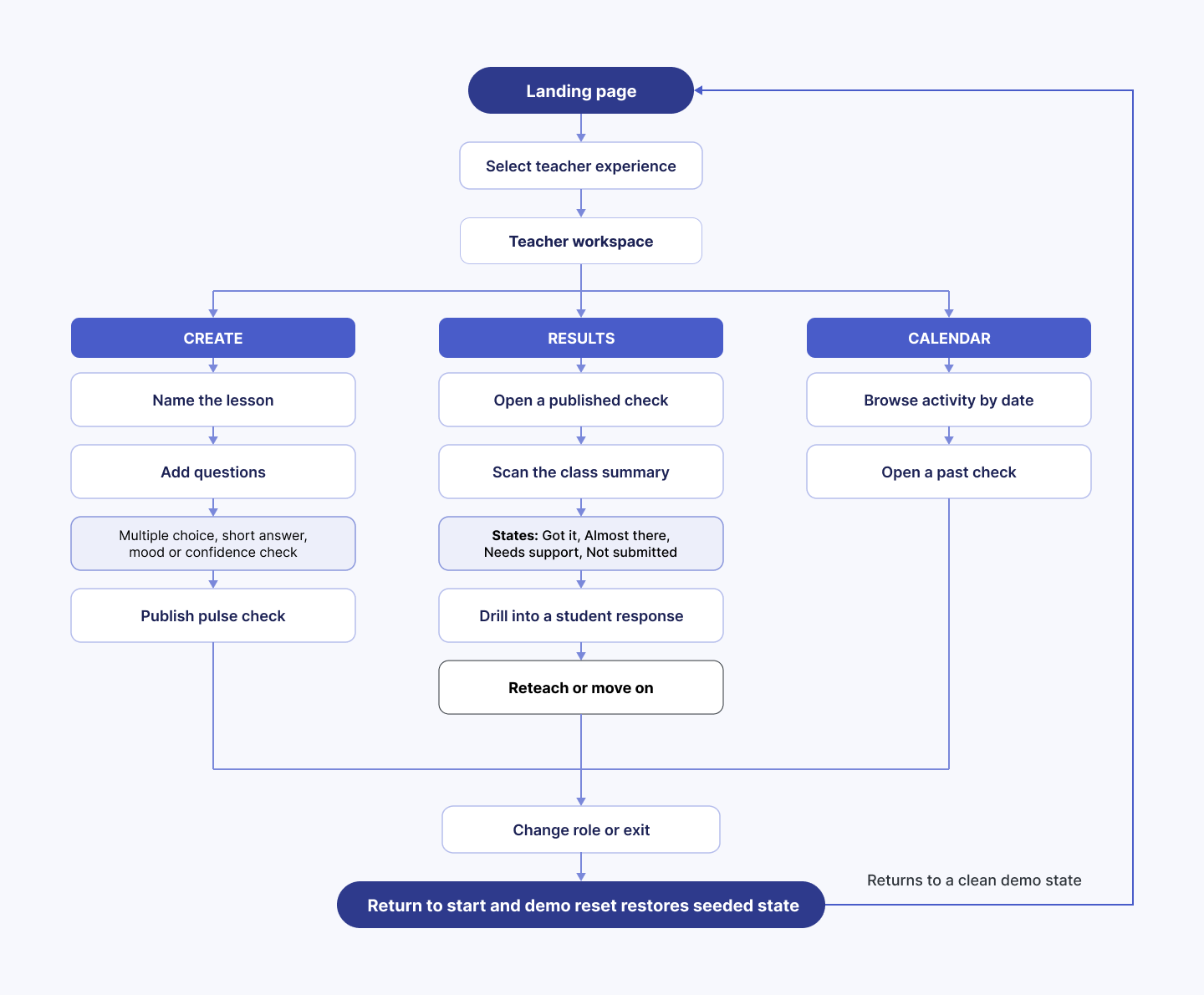
Teacher screens

Teacher: Creation view
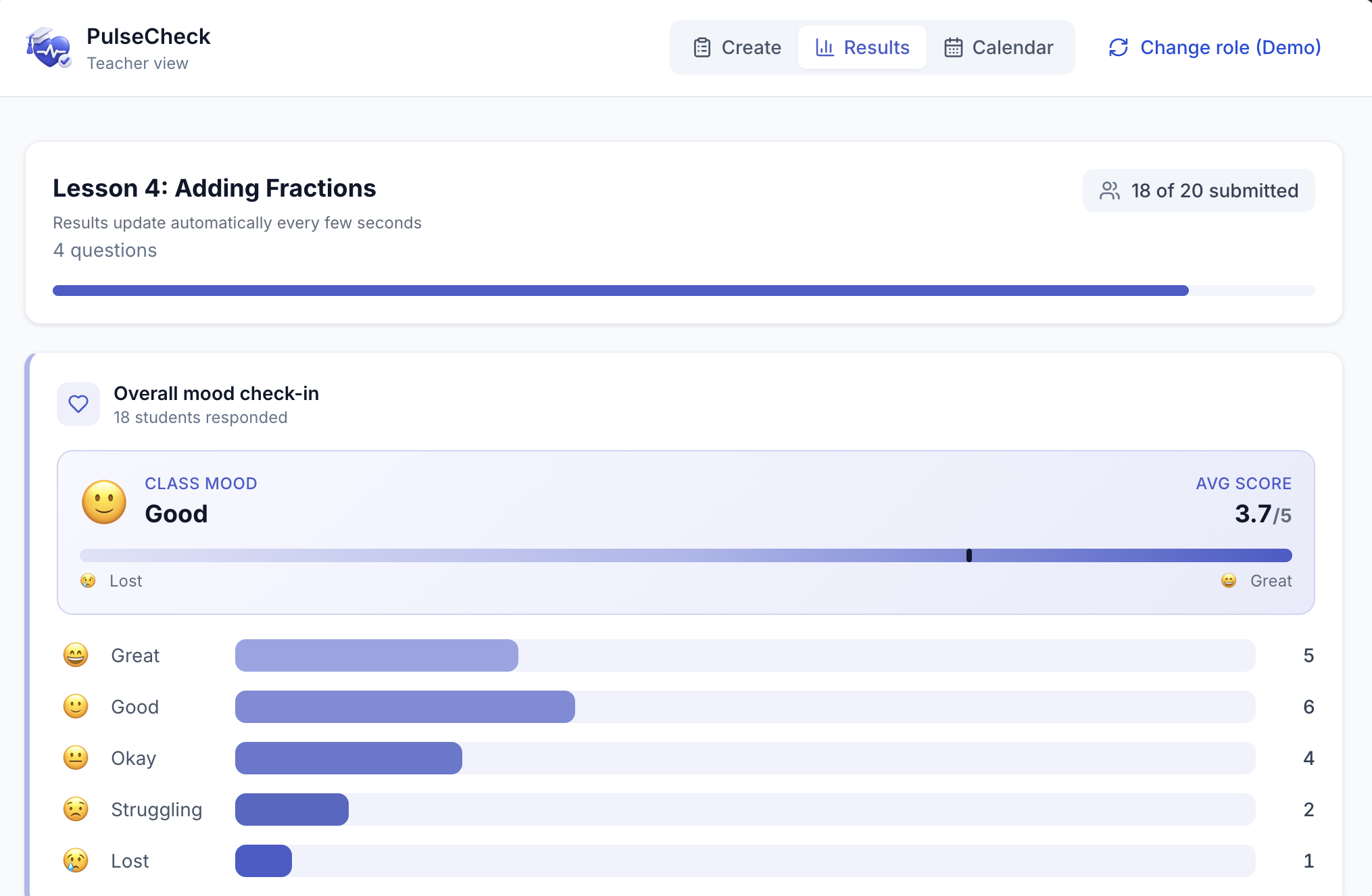
Teacher view: Results of overall class mood check-in

Teacher view: Breakdown of comprehension questions results

Teacher view: Calendar of past assessments
Student experience
The student flow is deliberately linear: Select your name from the roster, Answer a mood check, Answer the comprehension questions, Submit, and Return home.
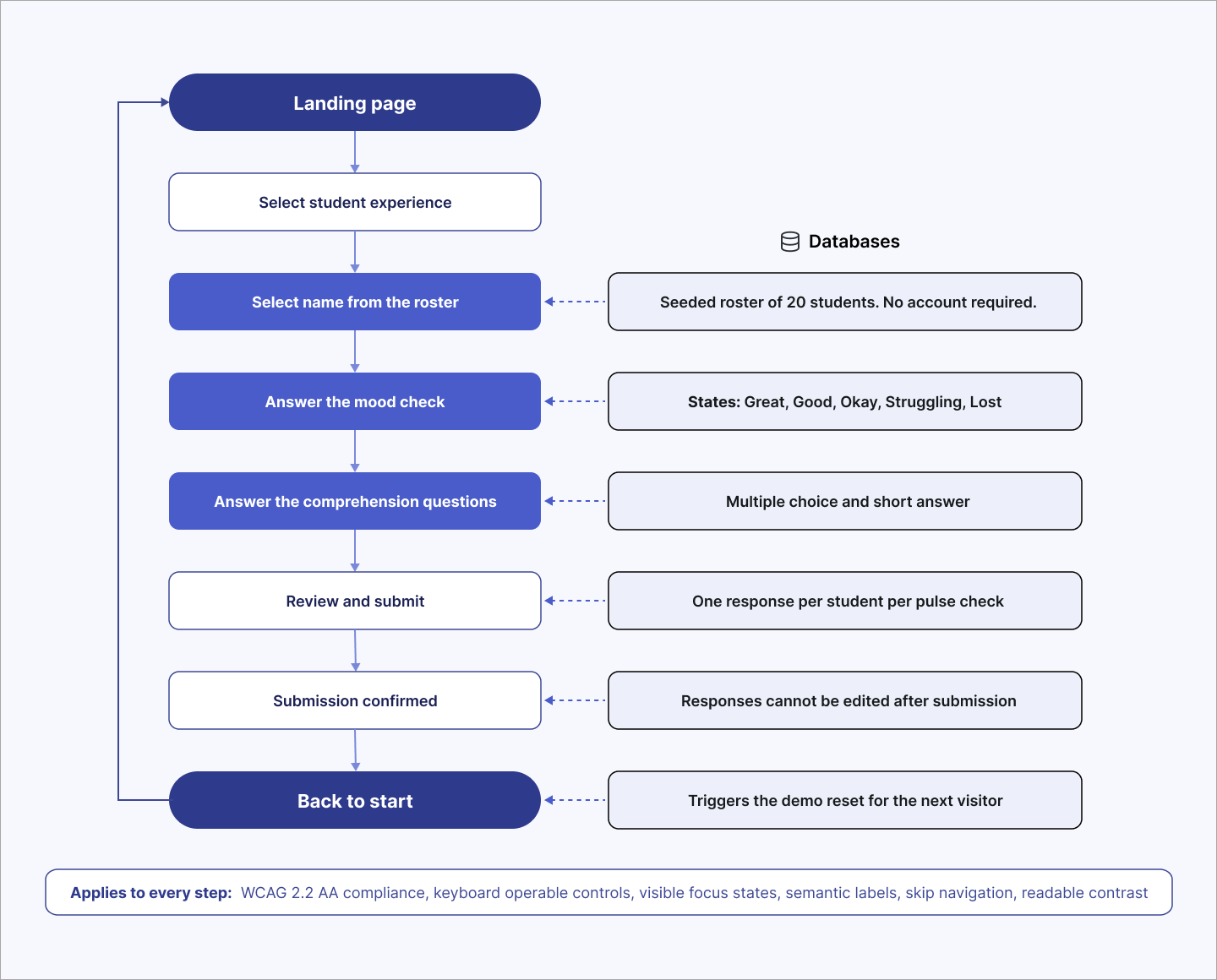
Student screens
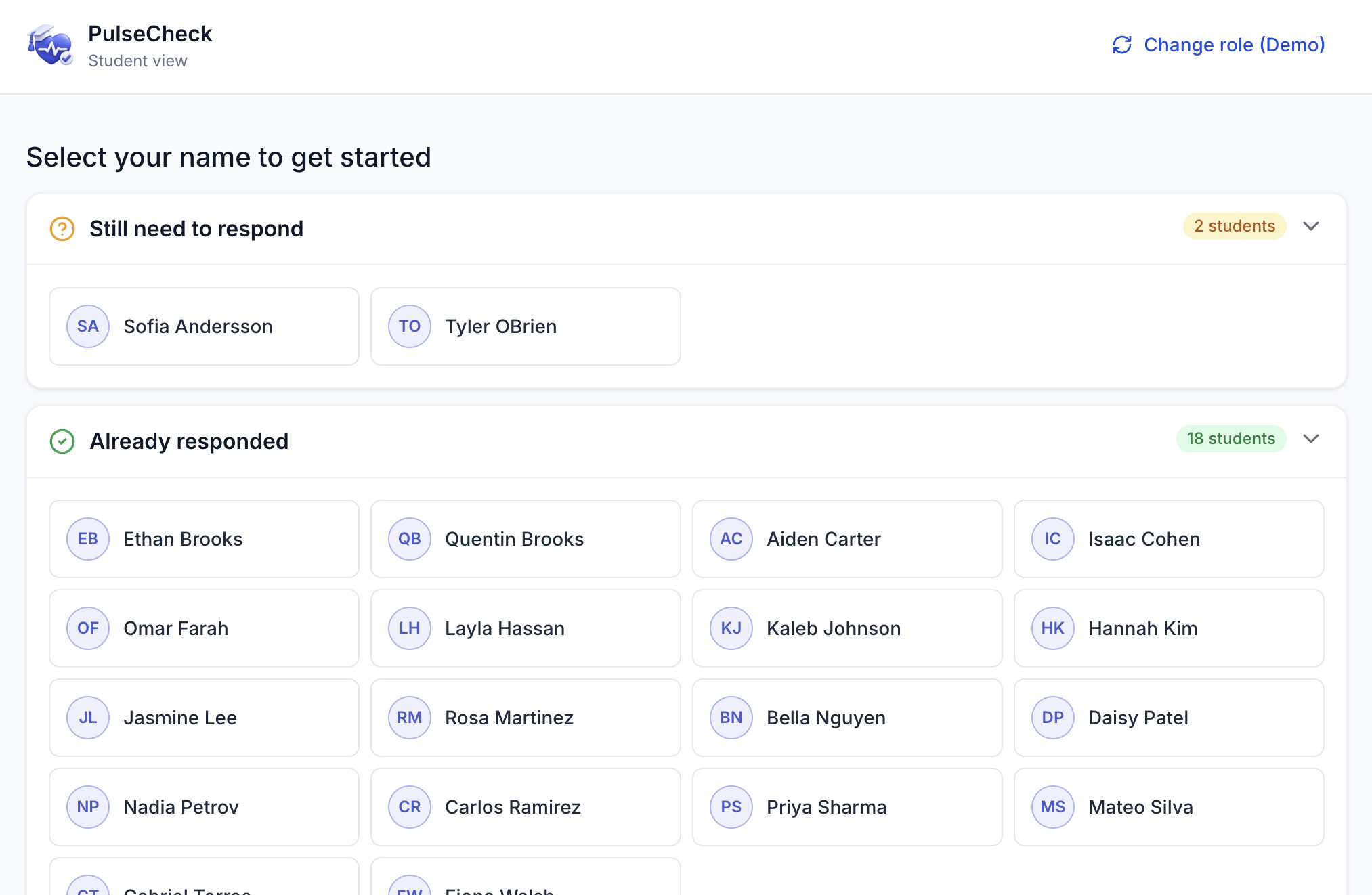
Studen viewt: Select your name to begin
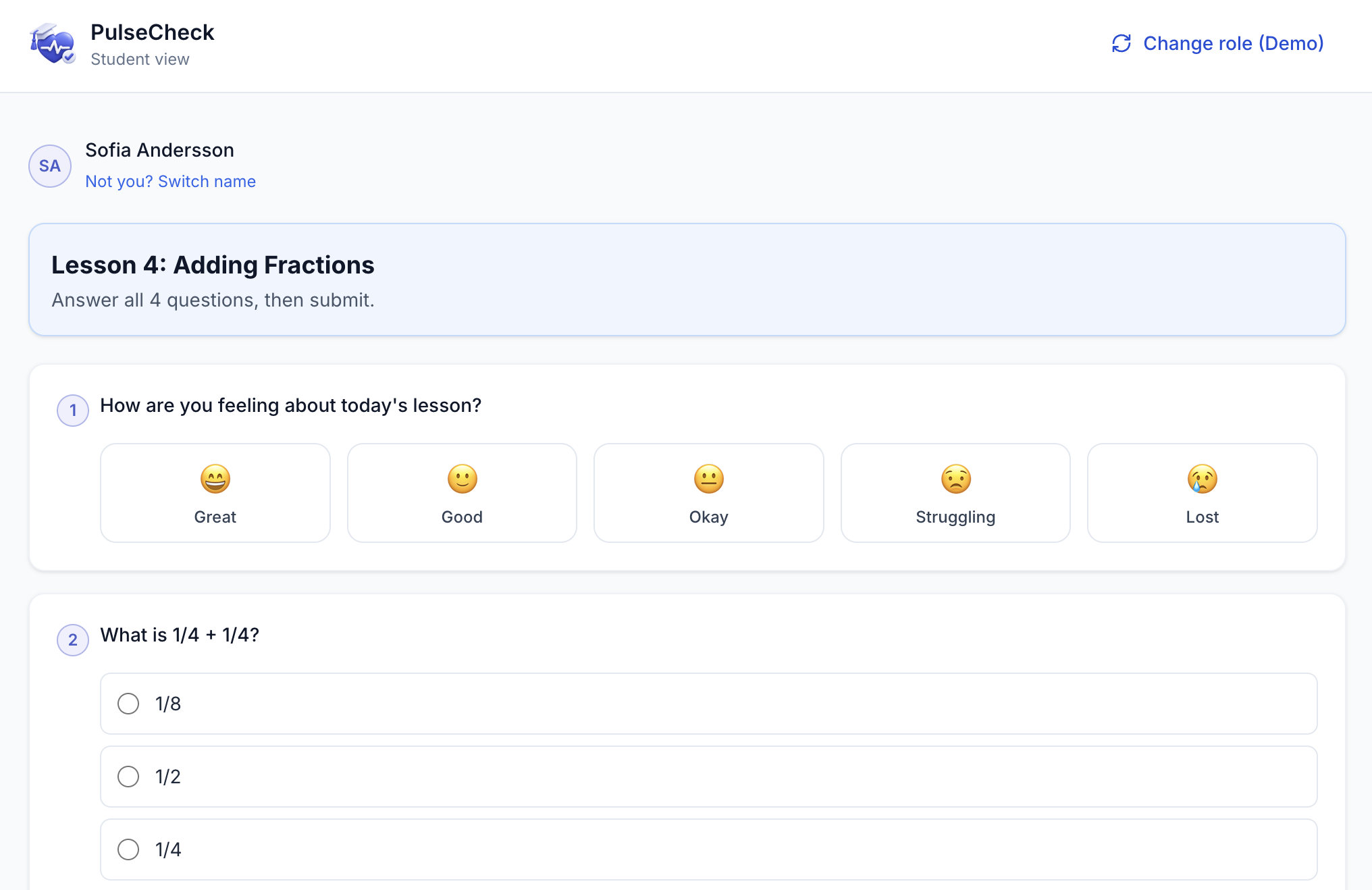
Student view: Answer mood check and comprehension questions

Student view: Confirmation screen with CTA back to start
Data model
Bolt Database storing students, tickets, questions, and responses, with relationships between them and constraints covering valid question types, valid choice structures, one response per student per ticket, and maximum text and answer sizes.
- Less is more — fewer design-sprint participants would have fostered more collaboration and better attendance
- Having mobile engineers in the workshop jump-started collaboration and surfaced the hard AI/ML questions early, forcing useful conversations sooner
- Make key-stakeholder attendance mandatory for the full sprint — partial participation made it harder to land the right decisionsContent

Database tables
Demo environment
Because the product has no accounts, the demo state itself became a design surface.
Considerations were made as follows:
- A seeded roster of 20 fictional students with responses from 18, so Results shows real variation including non-submissions
- Mood responses spanning Great, Good, Okay, Struggling, and Lost
- A reset function that clears submitted responses, removes session-created tickets and questions, and restores the sample lesson "Lesson 4: Adding Fractions"
- Reset wired to Change role, Exit, and Back to home, so every visitor starts clean
Accessibility
I ensured that the entire site met WCAG 2.2 AA standards. Keyboard-operable controls, visible focus states, semantic labels, skip navigation, and readable contrast across both flows.
Live product demo:

Let's build inclusive learning experiences together


© 2026 Amber Massey - All rights reserved